V1 Gen2 Settings

Including the Spyder, GT4, and GT4RS
User avatar
blueline
Moderator
Posts: 6086
Joined: Mon Sep 26, 2022 12:22 pm
Location: Middle Tennessee
Has thanked: 4433 times
Been thanked: 2407 times
Stormy_Monday wrote: Fri Oct 03, 2025 5:01 am
blueline wrote: Thu Oct 02, 2025 7:00 pm
Pca7ggr wrote: Thu Oct 02, 2025 6:18 pm What settings are you using?
Small "L" (l) logic mode, the same setting that I've used since my first V1 in 1993. Other than that, I use the factory setup for all V1 Gen 2 devices. I also use remote displays in all vehicles.
any way you could post a picture of where you mount the main unit and remote display?

On my Cali T, I mounted the main unit just the the left of the mirror with a pig tail into the mirror mount. This way I can tap the mute.

grazie
My remote mounting is not as visible nor easy to look at as is that of Pca7ggr's setup. My remote placement works ok for me but only because I don't look at the display LEDs. That could bite me I suppose but it's worked for me for decades. I also rely on traffic flows, Waze reports, long look aheads, sudden brake lights where not expected, head on a swivel kind of driving and a bit of good luck! Also, there are often sufficient crazed speedsters who I gladly allow to clear minefields that might be ahead. However, lonely roads with room to stretch out the car (sadly, a rarity these days) are another matter!

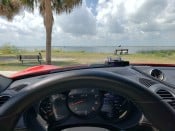
Anyway, here are a couple of pics of the remote display setup in the Turbo S. It may appear to be too hidden for viewing but that's not really the case for me. It works well for a quick glance at the large direction arrows if I happen to be curious as to where the radar might be. Suffice it to say, I do not look at any of the other display data - sound prompts only.

PXL_20251003_165512096.jpg
PXL_20251003_165512096.jpg (2.72 MiB) Viewed 574 times
PXL_20251003_165554111.jpg
PXL_20251003_165554111.jpg (1.54 MiB) Viewed 574 times
Tim
Current:
'26 911 Carrera S - PTS Verde British Racing Green
'24 Cayenne S - Algarve Blue Metallic
'21 718 Cayman GTS - Black
'22 911 Turbo S - Carmine Red
'21 718 Cayman GT4 - White
'11 GMC 1500 Quad Cab 4x4 - Black

Musik-Stadt Region

#11

User avatar
blueline
Moderator
Posts: 6086
Joined: Mon Sep 26, 2022 12:22 pm
Location: Middle Tennessee
Has thanked: 4433 times
Been thanked: 2407 times
Pca7ggr wrote: Thu Oct 02, 2025 9:29 pm The Oct software upgrade is what prompted my question.
I called Valentine this morning and was told that their IT is aware of the problems some customers are having receiving email alerts regarding available updates. They have been trying to find a pattern as to why. I mentioned that it might be certain email domains (Comcast, ATT and others of the same ilk) known to swallow up certain types of emails into their server black holes if the MIME doesn't fit expected norms. Alerts such as a few from certain banks, occasional emailed 2FAs and others have been affected. I gave them my gmail address in place of the Comcast one, so we'll see how that works.

Meanwhile, thank you again for the heads up on the two recent Gen 2 updates! :thumbup:
Tim
Current:
'26 911 Carrera S - PTS Verde British Racing Green
'24 Cayenne S - Algarve Blue Metallic
'21 718 Cayman GTS - Black
'22 911 Turbo S - Carmine Red
'21 718 Cayman GT4 - White
'11 GMC 1500 Quad Cab 4x4 - Black

Musik-Stadt Region

#12

User avatar
Stormy_Monday
Posts: 709
Joined: Sat Mar 18, 2023 11:37 am
Location: Space Coast
Has thanked: 349 times
Been thanked: 456 times
blueline wrote: Fri Oct 03, 2025 8:17 pm
Stormy_Monday wrote: Fri Oct 03, 2025 5:01 am
blueline wrote: Thu Oct 02, 2025 7:00 pm

Small "L" (l) logic mode, the same setting that I've used since my first V1 in 1993. Other than that, I use the factory setup for all V1 Gen 2 devices. I also use remote displays in all vehicles.
any way you could post a picture of where you mount the main unit and remote display?

On my Cali T, I mounted the main unit just the the left of the mirror with a pig tail into the mirror mount. This way I can tap the mute.

grazie
My remote mounting is not as visible nor easy to look at as is that of Pca7ggr's setup. My remote placement works ok for me but only because I don't look at the display LEDs. That could bite me I suppose but it's worked for me for decades. I also rely on traffic flows, Waze reports, long look aheads, sudden brake lights where not expected, head on a swivel kind of driving and a bit of good luck! Also, there are often sufficient crazed speedsters who I gladly allow to clear minefields that might be ahead. However, lonely roads with room to stretch out the car (sadly, a rarity these days) are another matter!

Anyway, here are a couple of pics of the remote display setup in the Turbo S. It may appear to be too hidden for viewing but that's not really the case for me. It works well for a quick glance at the large direction arrows if I happen to be curious as to where the radar might be. Suffice it to say, I do not look at any of the other display data - sound prompts only.


PXL_20251003_165512096.jpg


PXL_20251003_165554111.jpg
Thanks for the pics. I really need to be easily able to mute the alarm, my much better half tells be this all the time. I have that adaptor out in the garage, so I need to figure this out someway.
Red Cars Rule

2022 718 Boxster GTS 4.0
2025 Cayenne e-Hybrid
2015 Ferrari California T

#13

User avatar
blueline
Moderator
Posts: 6086
Joined: Mon Sep 26, 2022 12:22 pm
Location: Middle Tennessee
Has thanked: 4433 times
Been thanked: 2407 times
Stormy_Monday wrote: Sat Oct 04, 2025 8:52 am
blueline wrote: Fri Oct 03, 2025 8:17 pm
Stormy_Monday wrote: Fri Oct 03, 2025 5:01 am

any way you could post a picture of where you mount the main unit and remote display?

On my Cali T, I mounted the main unit just the the left of the mirror with a pig tail into the mirror mount. This way I can tap the mute.

grazie
My remote mounting is not as visible nor easy to look at as is that of Pca7ggr's setup. My remote placement works ok for me but only because I don't look at the display LEDs. That could bite me I suppose but it's worked for me for decades. I also rely on traffic flows, Waze reports, long look aheads, sudden brake lights where not expected, head on a swivel kind of driving and a bit of good luck! Also, there are often sufficient crazed speedsters who I gladly allow to clear minefields that might be ahead. However, lonely roads with room to stretch out the car (sadly, a rarity these days) are another matter!

Anyway, here are a couple of pics of the remote display setup in the Turbo S. It may appear to be too hidden for viewing but that's not really the case for me. It works well for a quick glance at the large direction arrows if I happen to be curious as to where the radar might be. Suffice it to say, I do not look at any of the other display data - sound prompts only.


PXL_20251003_165512096.jpg


PXL_20251003_165554111.jpg
Thanks for the pics. I really need to be easily able to mute the alarm, my much better half tells be this all the time. I have that adaptor out in the garage, so I need to figure this out someway.
You can still mute from the main unit on the windshield which is what I do.
Tim
Current:
'26 911 Carrera S - PTS Verde British Racing Green
'24 Cayenne S - Algarve Blue Metallic
'21 718 Cayman GTS - Black
'22 911 Turbo S - Carmine Red
'21 718 Cayman GT4 - White
'11 GMC 1500 Quad Cab 4x4 - Black

Musik-Stadt Region

#14

User avatar
blueline
Moderator
Posts: 6086
Joined: Mon Sep 26, 2022 12:22 pm
Location: Middle Tennessee
Has thanked: 4433 times
Been thanked: 2407 times
I updated the firmware on all of the Valentine devices today. For now, I am going to stick with the default settings - they've always performed well for me.

I tried moving the windshield mounted main unit to the left side of the mirror but realized that when the sun visor is down it interferes with the rear facing device antenna (bad), so I am going to leave them to the right of the mirror on the vehicles with the FitCamX cameras. The right side sun visor does not interfere with the antenna and I can still easily reach the mute button. The Valentines will be in their usual under mirror spots on other cars.

edit:

Even though I don't think there are any Photo Radar devices being used in my area, I may activate the DriveSafe 3DHD, Ekin, and MRCT photo radars that might be in use in other parts of TN.

Then there is the thought of changing the X-band and K-band sensitivity to Max range vs the default (medium range I guess) that has been the standard until this latest update.

(Much thanks to Sergio aka Pca7ggr for that info.)

https://www.valentine1.com/the-v1-diffe ... ogramming/
Tim
Current:
'26 911 Carrera S - PTS Verde British Racing Green
'24 Cayenne S - Algarve Blue Metallic
'21 718 Cayman GTS - Black
'22 911 Turbo S - Carmine Red
'21 718 Cayman GT4 - White
'11 GMC 1500 Quad Cab 4x4 - Black

Musik-Stadt Region

#15

User avatar
blueline
Moderator
Posts: 6086
Joined: Mon Sep 26, 2022 12:22 pm
Location: Middle Tennessee
Has thanked: 4433 times
Been thanked: 2407 times
From Valentine, their programming guide PDF for V1 Gen2 devices.

V1Gen2-Programming-2025-06-24.pdf
(136.4 KiB) Downloaded 61 times
Tim
Current:
'26 911 Carrera S - PTS Verde British Racing Green
'24 Cayenne S - Algarve Blue Metallic
'21 718 Cayman GTS - Black
'22 911 Turbo S - Carmine Red
'21 718 Cayman GT4 - White
'11 GMC 1500 Quad Cab 4x4 - Black

Musik-Stadt Region

#16

Post Reply