



V1 Gen2 Settings
-
blueline

- Moderator
- Posts: 6176
- Joined: Mon Sep 26, 2022 12:22 pm
- Location: Middle Tennessee
- Has thanked: 4519 times
- Been thanked: 2452 times
Small "L" (l) logic mode, the same setting that I've used since my first V1 in 1993. Other than that, I use the factory setup for all V1 Gen 2 devices. I also use remote displays in all vehicles.
Tim
Current:
'26 911 Carrera S - PTS Verde British Racing Green
'24 Cayenne S - Algarve Blue Metallic
'21 718 Cayman GTS - Black
'22 911 Turbo S - Carmine Red
'21 718 Cayman GT4 - White
'11 GMC 1500 Quad Cab 4x4 - Black
Musik-Stadt Region
Current:
'26 911 Carrera S - PTS Verde British Racing Green
'24 Cayenne S - Algarve Blue Metallic
'21 718 Cayman GTS - Black
'22 911 Turbo S - Carmine Red
'21 718 Cayman GT4 - White
'11 GMC 1500 Quad Cab 4x4 - Black
Musik-Stadt Region
-
blueline
- Moderator
- Posts: 6176
- Joined: Mon Sep 26, 2022 12:22 pm
- Location: Middle Tennessee
- Has thanked: 4519 times
- Been thanked: 2452 times
Also, I do the software/firmware updates for the V1 Gen2 devices when Valentine publishes them.
Tim
Current:
'26 911 Carrera S - PTS Verde British Racing Green
'24 Cayenne S - Algarve Blue Metallic
'21 718 Cayman GTS - Black
'22 911 Turbo S - Carmine Red
'21 718 Cayman GT4 - White
'11 GMC 1500 Quad Cab 4x4 - Black
Musik-Stadt Region
Current:
'26 911 Carrera S - PTS Verde British Racing Green
'24 Cayenne S - Algarve Blue Metallic
'21 718 Cayman GTS - Black
'22 911 Turbo S - Carmine Red
'21 718 Cayman GT4 - White
'11 GMC 1500 Quad Cab 4x4 - Black
Musik-Stadt Region
The Oct software upgrade is what prompted my question.
Sergio
PCA 43yrs / Ex-RGruppe #197
National DE Instructor Corps Member
'19 718 Cayman S (9th Porsche/1st with PDK)
'23 Subaru Outback Touring XT (Porsche support vehicle)
PCA 43yrs / Ex-RGruppe #197
National DE Instructor Corps Member
'19 718 Cayman S (9th Porsche/1st with PDK)
'23 Subaru Outback Touring XT (Porsche support vehicle)
-
blueline
- Moderator
- Posts: 6176
- Joined: Mon Sep 26, 2022 12:22 pm
- Location: Middle Tennessee
- Has thanked: 4519 times
- Been thanked: 2452 times
I'm glad you posted your question because I did not realize that there was an October update and probably wouldn't have for several months, that is unless I eventually receive a notice from Valentine. (My experience so far has been that Valentine is not the most reliable regarding update alerts so I generally just try to remember to check on occasion.) Did Valentine Research alert you to the update? I purchased a direct wire kit and remote display order with them about 10-days ago but didn't see anything about an update, not that they'd post anything publicly.
Moving back to your original question, guess I'll find out what you're asking about once I update my V1 devices, after which I'll probably have the same questions. I'll try to get to work on updating that this weekend.
Tim
Current:
'26 911 Carrera S - PTS Verde British Racing Green
'24 Cayenne S - Algarve Blue Metallic
'21 718 Cayman GTS - Black
'22 911 Turbo S - Carmine Red
'21 718 Cayman GT4 - White
'11 GMC 1500 Quad Cab 4x4 - Black
Musik-Stadt Region
Current:
'26 911 Carrera S - PTS Verde British Racing Green
'24 Cayenne S - Algarve Blue Metallic
'21 718 Cayman GTS - Black
'22 911 Turbo S - Carmine Red
'21 718 Cayman GT4 - White
'11 GMC 1500 Quad Cab 4x4 - Black
Musik-Stadt Region
-
Stormy_Monday
- Posts: 724
- Joined: Sat Mar 18, 2023 11:37 am
- Location: Space Coast
- Has thanked: 356 times
- Been thanked: 460 times
any way you could post a picture of where you mount the main unit and remote display?blueline wrote: Thu Oct 02, 2025 7:00 pmSmall "L" (l) logic mode, the same setting that I've used since my first V1 in 1993. Other than that, I use the factory setup for all V1 Gen 2 devices. I also use remote displays in all vehicles.
On my Cali T, I mounted the main unit just the the left of the mirror with a pig tail into the mirror mount. This way I can tap the mute.
grazie
Red Cars Rule
2022 718 Boxster GTS 4.0
2025 Cayenne e-Hybrid
2015 Ferrari California T
2022 718 Boxster GTS 4.0
2025 Cayenne e-Hybrid
2015 Ferrari California T
Tim,
I sent you a PM with the text of Valentine's email announcing the Oct upgrade and its features.
I sent you a PM with the text of Valentine's email announcing the Oct upgrade and its features.
Sergio
PCA 43yrs / Ex-RGruppe #197
National DE Instructor Corps Member
'19 718 Cayman S (9th Porsche/1st with PDK)
'23 Subaru Outback Touring XT (Porsche support vehicle)
PCA 43yrs / Ex-RGruppe #197
National DE Instructor Corps Member
'19 718 Cayman S (9th Porsche/1st with PDK)
'23 Subaru Outback Touring XT (Porsche support vehicle)
-
blueline
- Moderator
- Posts: 6176
- Joined: Mon Sep 26, 2022 12:22 pm
- Location: Middle Tennessee
- Has thanked: 4519 times
- Been thanked: 2452 times
Where I mount the remote display depends on the car somewhat, but on the Porsches it's usually down on the side of the center console walls, out of the way.Stormy_Monday wrote: Fri Oct 03, 2025 5:01 amany way you could post a picture of where you mount the main unit and remote display?blueline wrote: Thu Oct 02, 2025 7:00 pmSmall "L" (l) logic mode, the same setting that I've used since my first V1 in 1993. Other than that, I use the factory setup for all V1 Gen 2 devices. I also use remote displays in all vehicles.
On my Cali T, I mounted the main unit just the the left of the mirror with a pig tail into the mirror mount. This way I can tap the mute.
grazie
Since I rely almost solely on the sounds the Valentine's emit and am comfortable with that after 30+ years of using them, I rarely use the visuals, so the mount position of the remote is less important. My main goal is to not have any LEDs showing on the main unit that's mounted at the top of the windshield. (The lights are too obvious for my tastes and can also be seen from quite a distance by other drivers behind.) However, I can still easily see the display with a quick glance if I need to see the arrows.
I'll get a picture or two at some point of the remote mounting.
I used to always mount the main unit centered under the mirror, also with the pigtail direct-wired and passing through the mirror mount as you described. However, since I've added the FitCamX to a couple of the cars I moved it to the right side of the mirror. Your mention of mounting it to the left side of the mirror is much more sensible, especially for the reason you mentioned. Why didn't I do it that way?? No clue. Lol. (Maybe I was thinking of keeping the devices out of my straight-ahead line of sight.) Anyway, thanks for jogging my soggy brain. I'll move them to the left side.
Tim
Current:
'26 911 Carrera S - PTS Verde British Racing Green
'24 Cayenne S - Algarve Blue Metallic
'21 718 Cayman GTS - Black
'22 911 Turbo S - Carmine Red
'21 718 Cayman GT4 - White
'11 GMC 1500 Quad Cab 4x4 - Black
Musik-Stadt Region
Current:
'26 911 Carrera S - PTS Verde British Racing Green
'24 Cayenne S - Algarve Blue Metallic
'21 718 Cayman GTS - Black
'22 911 Turbo S - Carmine Red
'21 718 Cayman GT4 - White
'11 GMC 1500 Quad Cab 4x4 - Black
Musik-Stadt Region
-
blueline
- Moderator
- Posts: 6176
- Joined: Mon Sep 26, 2022 12:22 pm
- Location: Middle Tennessee
- Has thanked: 4519 times
- Been thanked: 2452 times
Got it and replied. Thank you!!Pca7ggr wrote: Fri Oct 03, 2025 5:57 am Tim,
I sent you a PM with the text of Valentine's email announcing the Oct upgrade and its features.
Tim
Current:
'26 911 Carrera S - PTS Verde British Racing Green
'24 Cayenne S - Algarve Blue Metallic
'21 718 Cayman GTS - Black
'22 911 Turbo S - Carmine Red
'21 718 Cayman GT4 - White
'11 GMC 1500 Quad Cab 4x4 - Black
Musik-Stadt Region
Current:
'26 911 Carrera S - PTS Verde British Racing Green
'24 Cayenne S - Algarve Blue Metallic
'21 718 Cayman GTS - Black
'22 911 Turbo S - Carmine Red
'21 718 Cayman GT4 - White
'11 GMC 1500 Quad Cab 4x4 - Black
Musik-Stadt Region
I concur with Tim with one exception.
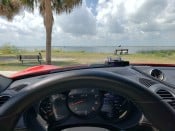
I listen to my tunes while driving (O the shame!) not to the notes of the 2.5 Turbo. I've mounted the V1 remote on the steering column below the digital "MPH" display. When the remote lights up, at a glance I see both the type/dirceion of the warning and my speed.
The V1 Gen2 is mounted below the review mirror via a Blendmount.
I listen to my tunes while driving (O the shame!) not to the notes of the 2.5 Turbo. I've mounted the V1 remote on the steering column below the digital "MPH" display. When the remote lights up, at a glance I see both the type/dirceion of the warning and my speed.
The V1 Gen2 is mounted below the review mirror via a Blendmount.
- Remote2.JPG (1.45 MiB) Viewed 996 times
- Romote1.JPG (1.35 MiB) Viewed 996 times
Sergio
PCA 43yrs / Ex-RGruppe #197
National DE Instructor Corps Member
'19 718 Cayman S (9th Porsche/1st with PDK)
'23 Subaru Outback Touring XT (Porsche support vehicle)
PCA 43yrs / Ex-RGruppe #197
National DE Instructor Corps Member
'19 718 Cayman S (9th Porsche/1st with PDK)
'23 Subaru Outback Touring XT (Porsche support vehicle)