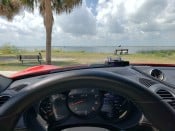


My remote mounting is not as visible nor easy to look at as is that of Pca7ggr's setup. My remote placement works ok for me but only because I don't look at the display LEDs. That could bite me I suppose but it's worked for me for decades. I also rely on traffic flows, Waze reports, long look aheads, sudden brake lights where not expected, head on a swivel kind of driving and a bit of good luck! Also, there are often sufficient crazed speedsters who I gladly allow to clear minefields that might be ahead. However, lonely roads with room to stretch out the car (sadly, a rarity these days) are another matter!Stormy_Monday wrote: Fri Oct 03, 2025 5:01 amany way you could post a picture of where you mount the main unit and remote display?blueline wrote: Thu Oct 02, 2025 7:00 pmSmall "L" (l) logic mode, the same setting that I've used since my first V1 in 1993. Other than that, I use the factory setup for all V1 Gen 2 devices. I also use remote displays in all vehicles.
On my Cali T, I mounted the main unit just the the left of the mirror with a pig tail into the mirror mount. This way I can tap the mute.
grazie
Anyway, here are a couple of pics of the remote display setup in the Turbo S. It may appear to be too hidden for viewing but that's not really the case for me. It works well for a quick glance at the large direction arrows if I happen to be curious as to where the radar might be. Suffice it to say, I do not look at any of the other display data - sound prompts only.
- PXL_20251003_165512096.jpg (2.72 MiB) Viewed 592 times
- PXL_20251003_165554111.jpg (1.54 MiB) Viewed 592 times